Bargain Boat Bits Portal now has integration support for Oath Product Range orders.
There are 3 types of orders expected from Oath: Normal Order, Order with Customized Products, Problematic Order
The following characteristics applies to all Oath Product Orders, regardless of the order Type:
- Oath Product orders can be identified by the M prefix in the Order ID column. (e.g, M1001, M1002)
- Email Notification is sent to the customer when order status is updated.
- Orders with 'Requires Attention' status are only visible to BBB Admin or BBB Users.
- Orders are assigned to the nearest Oath Dealer within a 500-meter distance, if nearest Oath Dealer could not be found, the order status becomes a Problematic Order
Normal Order
A normal order is any order with no customized product, and assigned to the nearest Oath Dealer. Normal orders are uploaded to the BBB Portal and assigned to Store.
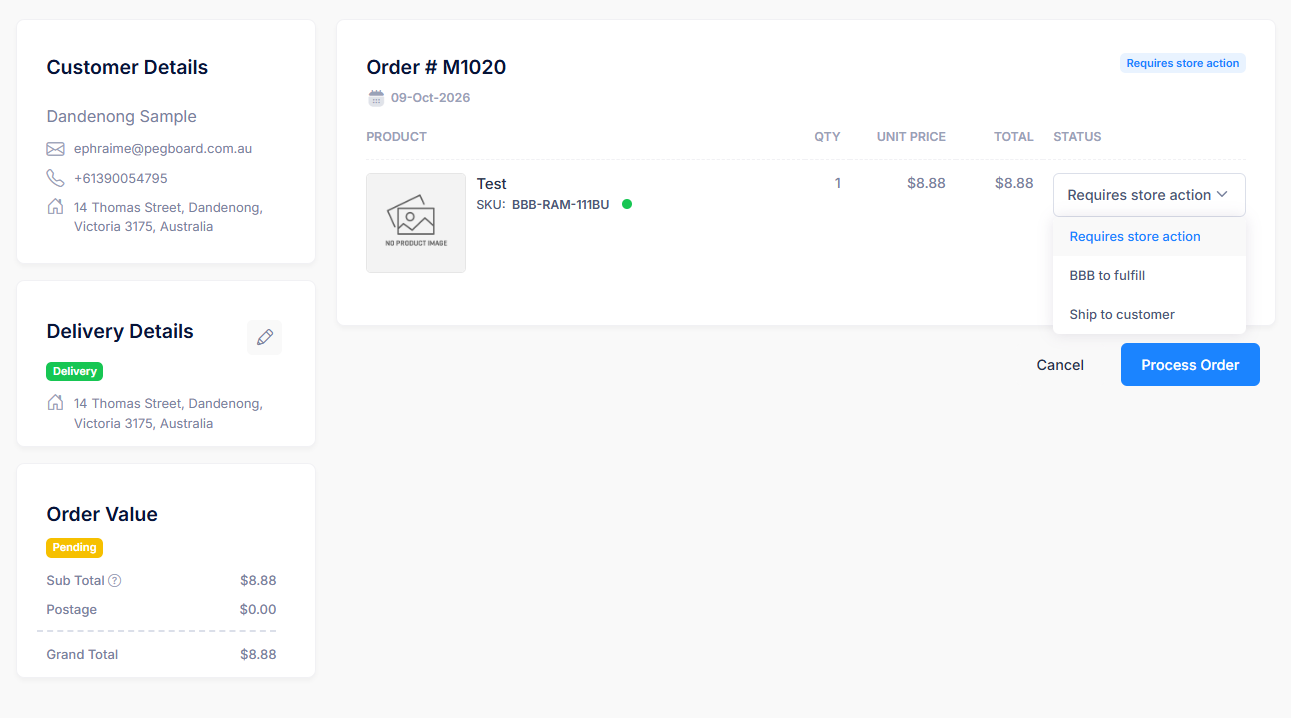
How to process Normal Orders?
These orders are assigned to Store and performed by a Store Admin or Store User and BBB Admin or User:
- Select Use BBB to Fulfill then Process Order
- Status is updated to Requires BBB Action.
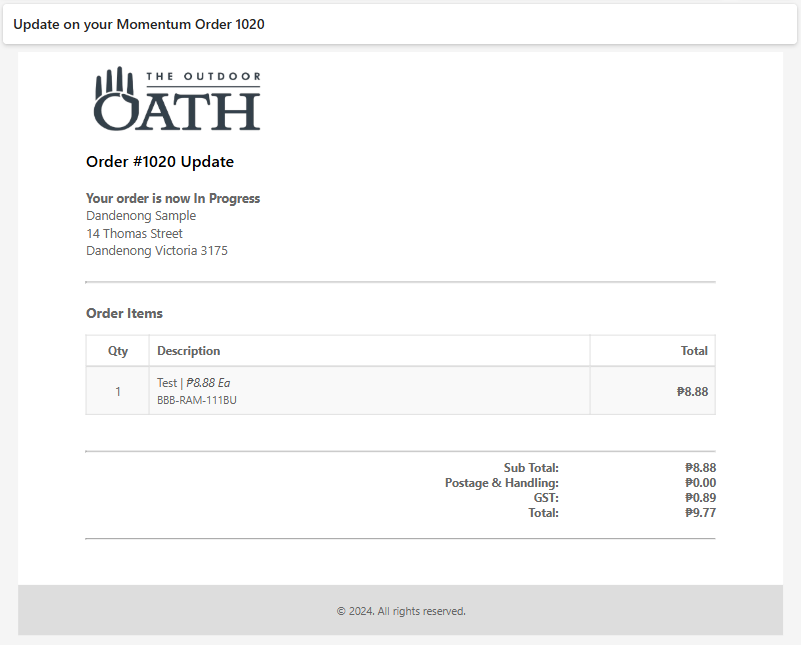
- An email gets sent to the customer notifying them that their order is 'In Progress.'
- BBB will be responsible for further processing of this order.
- Select Ship to Customer and then Process Order
- Status is updated to 'Completed'
- An email gets sent to the customer notifying them that their order is 'Completed.'
This is a sample of the email notification
Order with Customized Product
Any order with at least one customized product belongs to this category. Orders with customized products are always fulfilled by BBB.

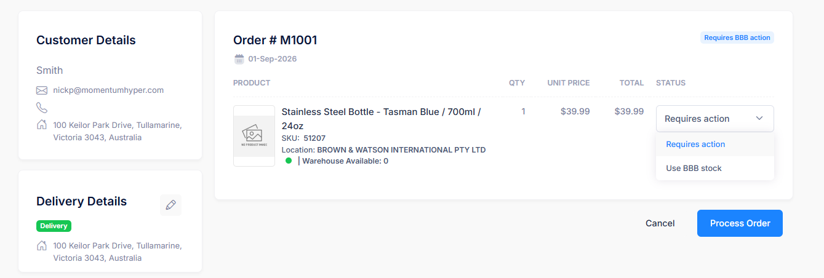
How to process Orders with Customized Product?
These orders are assigned to BBB and performed by a BBB Admin or BBB User:
- Select Use BBB Stock then Process Order
- Status is updated to Awaiting System Order and create a MYOB Sales order.
- An email gets sent to the customer notifying them that their order is 'In Progress.
- Once a MYOB Sales Order is created, Select Ship to Customer.
- Status is updated to 'Completed'
- An email gets sent to the customer notifying them that their order is 'Completed.'
Problematic Order
An order is problematic when any of the following conditions occur:
- No store could be found within 500 meters of the order shipping address postcode
- No portal product sku match found from oath products order
- Other general errors
Problematic orders are assigned to BBB (Requires BBB Action) and not visible to Store users.
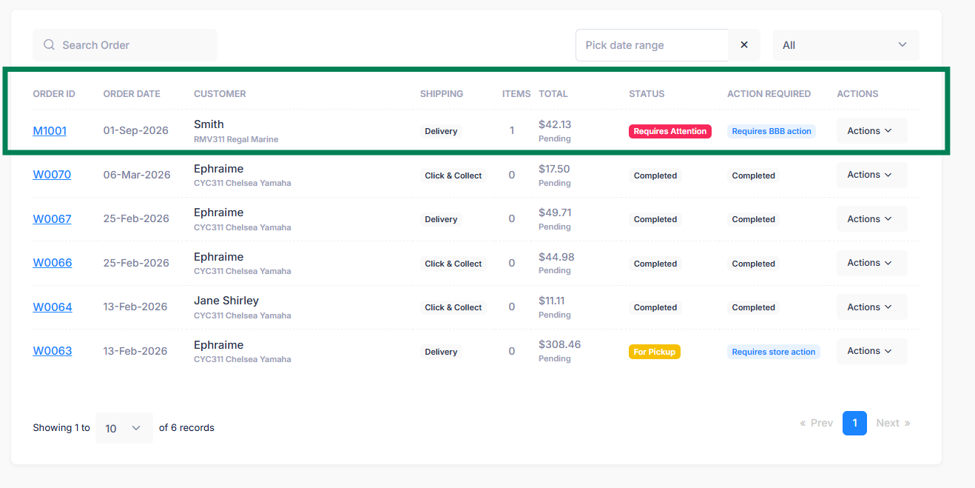
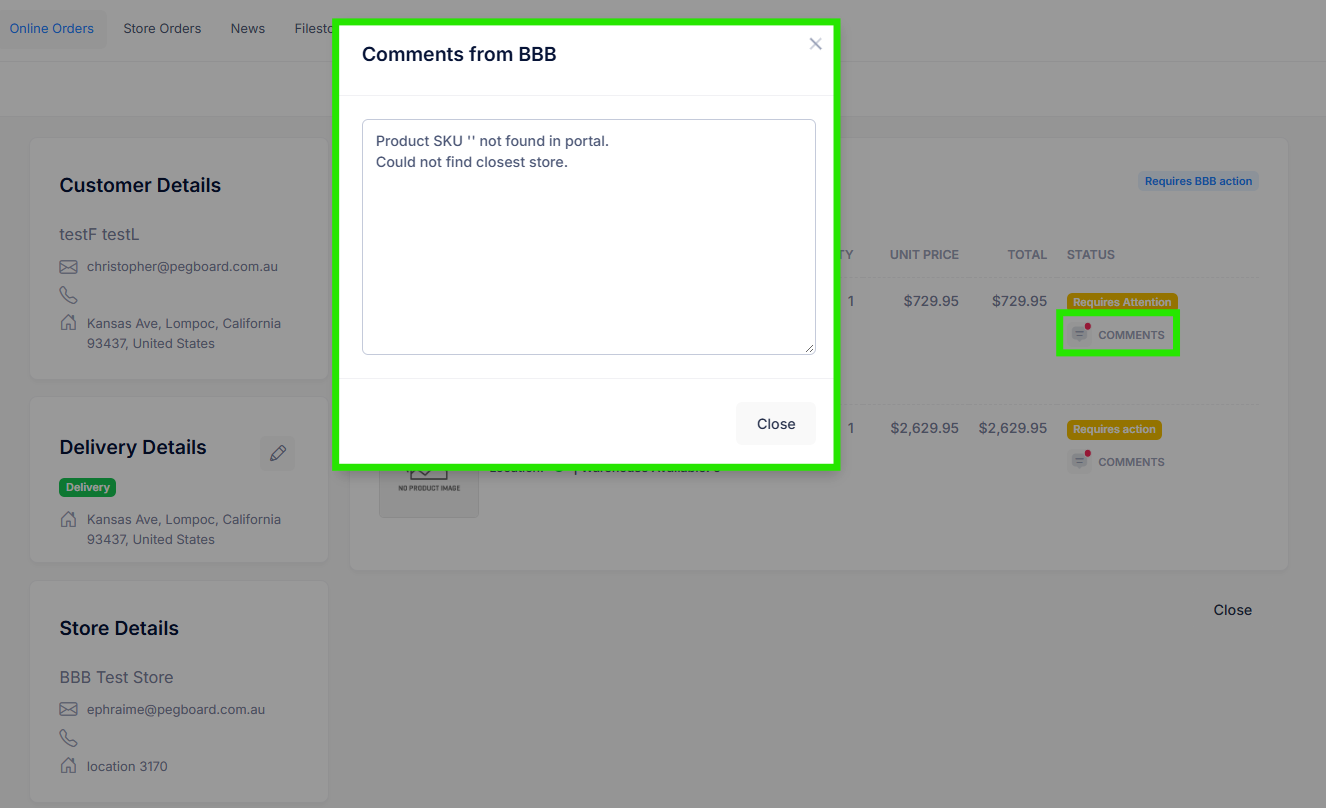
How to process Problematic Orders?
These orders cannot be processed, or edited. It is displayed to BBB for tracking purposes only.
Was this article helpful?
That’s Great!
Thank you for your feedback
Sorry! We couldn't be helpful
Thank you for your feedback
Feedback sent
We appreciate your effort and will try to fix the article